Kinematics and Posing
Pose a robot interactively, solve inverse kinematics, and plot poses from scripts — no dynamics involved.
Inspect a robot interactively
The kinematics inspector poses any configured arm with joint sliders (forward kinematics) or by clicking/dragging the tip in the canvas (inverse kinematics):
Useful flags: --method <ik-method> selects the IK solver, --show-com draws
the link centers of mass, and the start pose comes from --pose 20,45,60,30
(degrees) or --initial pose.toml (a TOML file with an [initial] table).
If the config has a [task] table, the inspector draws it, as the simulators
do: its targets with their tolerance rings and its reference path. The status
readout then gives the tip's distance to the target, which helps place a target
within reach while you adjust the links. --task task.toml draws the [task]
of another file instead.
Press R to reset the pose and Q to quit (see the
tool reference for all shortcuts).
Dragging the tip runs the numerical IK solver each move; joint limits clamp the solution, so the arm stops at its bounds rather than folding through them (Joint Limits).
In a PyQt6 tool of your own, the SkelarmCanvas widget poses
the arm on a click or drag the same way. Set its drag_to_pose attribute to
False to switch that off, for example while the tool animates the arm.
Scripted kinematics and plotting
For a minimal scripted example that defines a robot, computes forward kinematics, and plots the pose with Matplotlib:
Solve endpoint inverse kinematics (default: Sugihara-style Levenberg-Marquardt) and plot the solved pose:
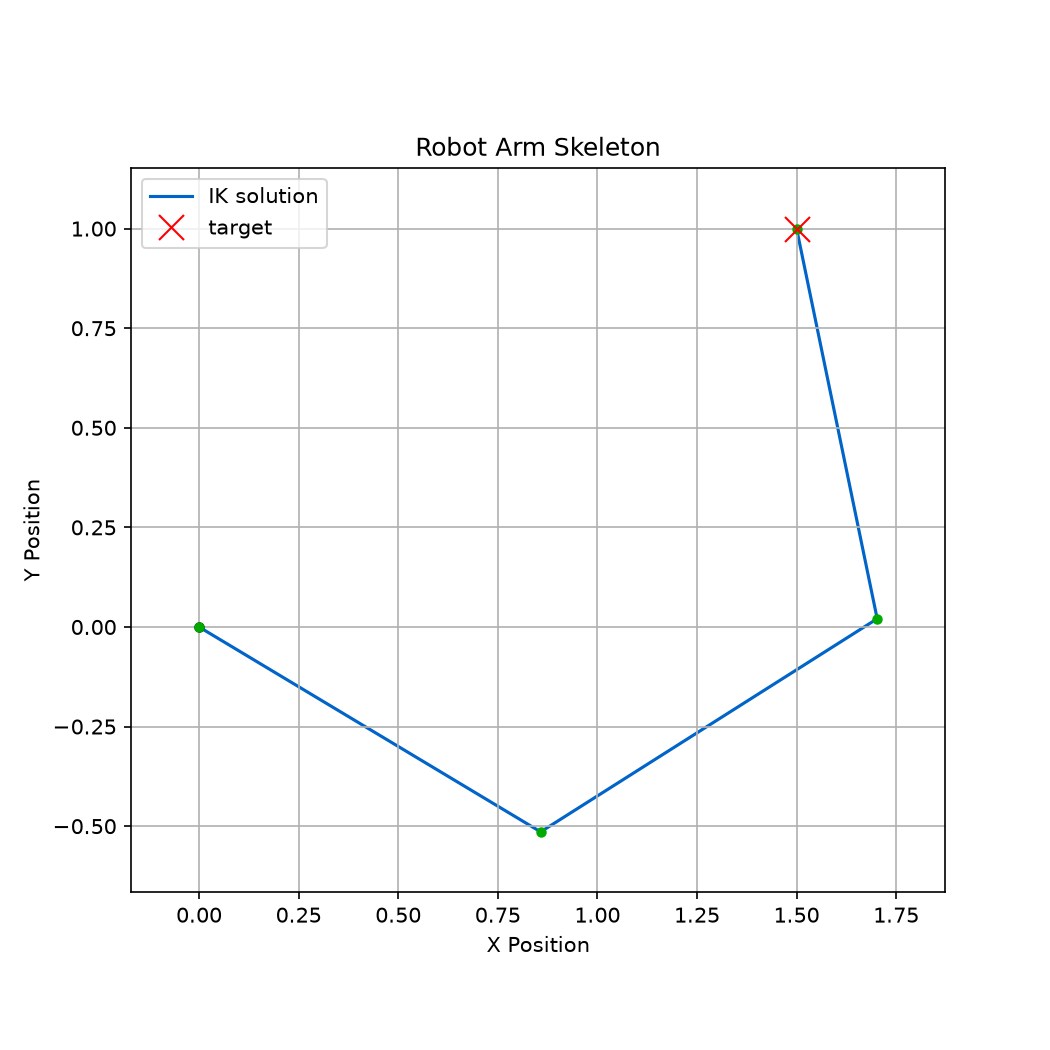
A self-contained interactive example without the config-file tooling:
From Python
from skelarm import Skeleton, compute_forward_kinematics, compute_inverse_kinematics

skeleton = Skeleton.from_toml("examples/four_dof_robot.toml")
compute_forward_kinematics(skeleton)
tip = skeleton.links[-1]
print(tip.xe, tip.ye)  # endpoint position

result = compute_inverse_kinematics(skeleton, [0.8, 1.2])
print(result.success, result.residual_norm)
compute_inverse_kinematics writes the best-effort pose back to the skeleton
and reports success strictly as residual within tolerance — check it (or
residual_norm) before trusting that a target was reached. The methods and
their convergence behavior are covered in
Numerical Inverse Kinematics.
Related
- Robot Configuration — the
[skeleton]/[initial]schema. - Simulate Dynamics — put the same robot under physics.
- Kinematics and Differential Kinematics — the theory.